Semantic Web Toolkit
Free Community Edition
ARTICLE
Make your article content discoverable to Google as well as AI answer engines. Drop-in components add structured data to your Framer articles.
Why structured data matters
Structured data has been the backbone of SEO, but today it is taking on increased attention as it offers a great way to strengthen signals in GEO. AI answer engines like ChatGPT, Perplexity, and Google's AI Overviews synthesize information from across the web to answer questions. Structured data helps these systems understand what your content is about and how it's organized — increasing the chances your work gets cited.
Why you need this kit
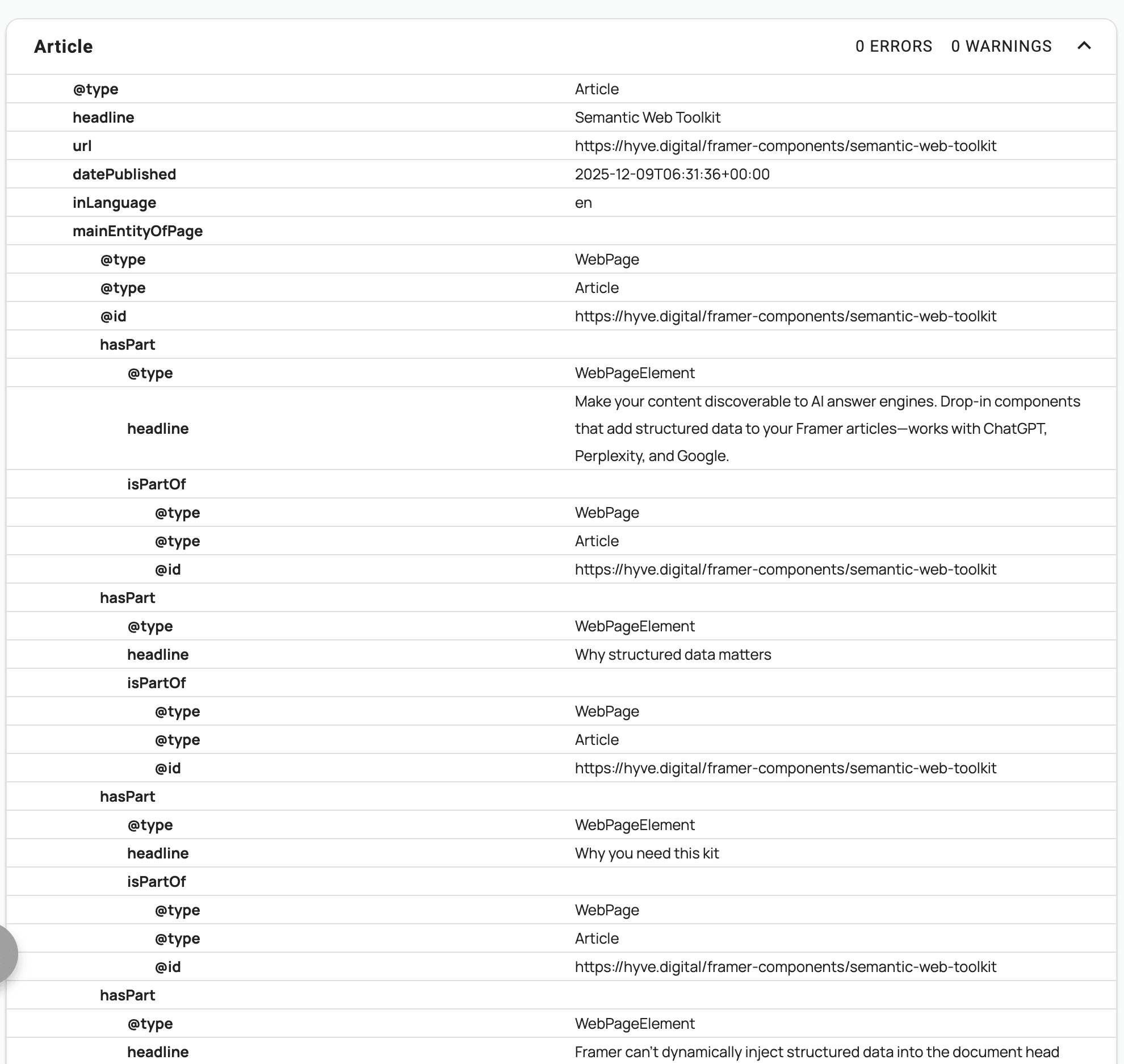
Framer can't dynamically inject structured data in the form of a JSON-LD snippet into the document head, so a solution was needed to render the snippet in the page body.
In practice, some article pages are built manually and can be fully built from a simple, complete scrape of the page. Other times, you may have a one or two-part CMS setup that requires more complex integrations. For that reason I created 2 additional components.
Choose from 3 drag-and-drop implementations
Complete H1–H6
Zero configuration. Drop it on your page and it automatically scans everything — H1 through H6. Generates both article metadata and content structure. Perfect if you want "set it and forget it."
Structure Only H2–H6
Handles H2-H6 content hierarchy. Designed to pair with a separate metadata component connected to your CMS. Clean separation of concerns — your metadata comes from CMS fields, your structure comes from the rendered page.
CMS-Connected Metadata
Full Article schema with explicit Framer property controls. Connect each field to your CMS collection (title, author, dates, publisher, featured image). Pair with #2 above for complete coverage.
How it works
1. Drop the selected component on your article template page
Position doesn't matter — it's invisible and only outputs a <script> tag.
2. When published, the component scans your page content
Automatically finds headings, generates anchor IDs if missing, builds proper JSON-LD.
3. Search engines and AI systems index your content
Your articles now have structured data that helps machines understand what they’re about.
Find detailed instructions in the Framer Remix project.
Technical Details
Complete:
Scans H1-H6, og:image
Generates Article metadata + WebPage structure
Zero props needed
~5KB minified
Article Structure:
Scans H2-H6 only (H1 should be in metadata)
Generates WebPage/WebPageElement schema
Auto-generates anchor IDs
Pairs with CMS metadata component
~3KB minified
CMS-Connected Metadata:
Framer property controls
Connect to CMS collection fields
Full Article/BlogPosting schema
Title, author, publisher, dates, featured image
~4KB minified